Prefab Fusion
A Unity editor tool to refactor prefabs: copy-pasted parts become one nested prefab, near-copies become variants, with every value and reference kept.
Coming soon to the Unity Asset Store.
What it does
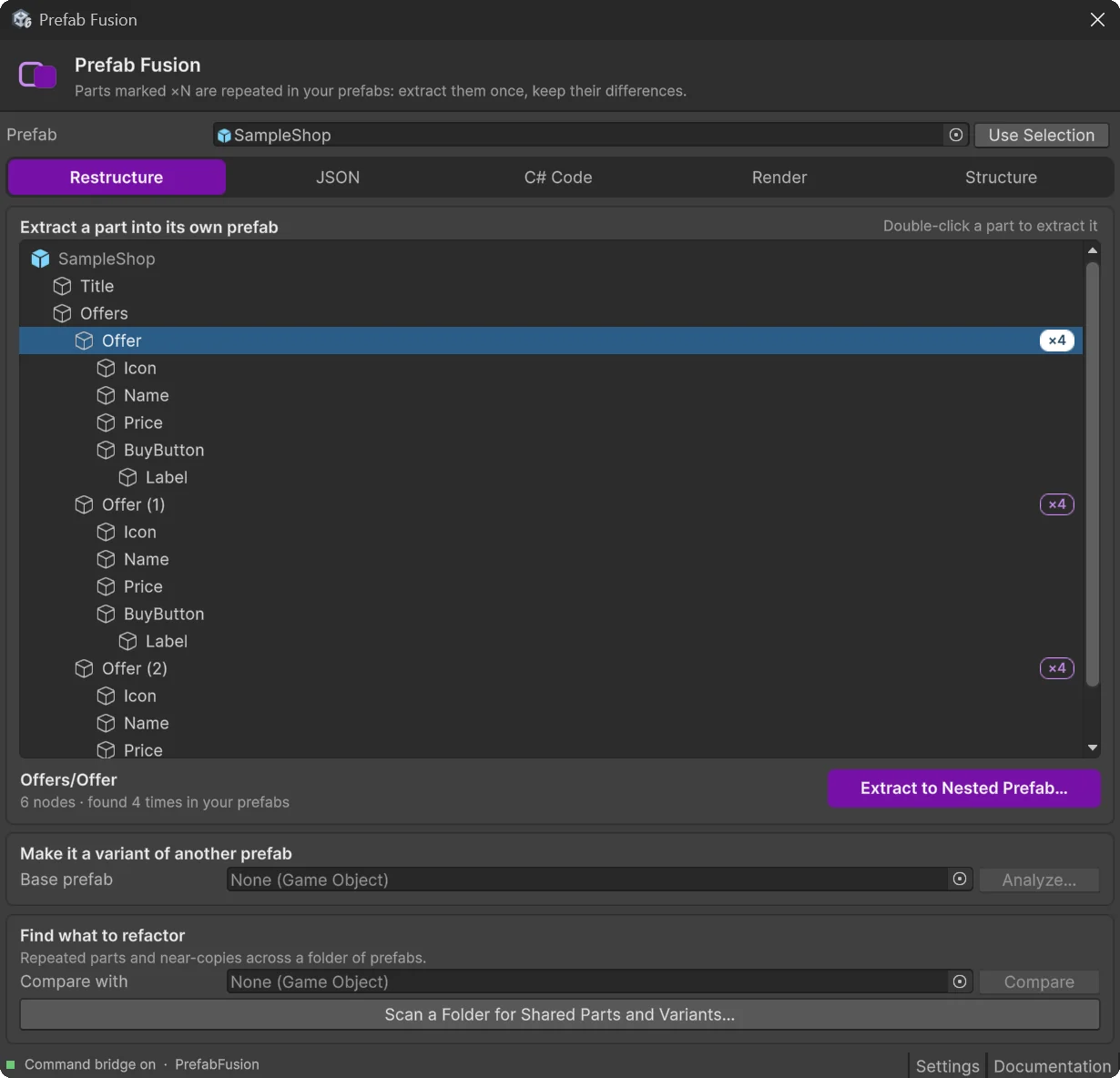
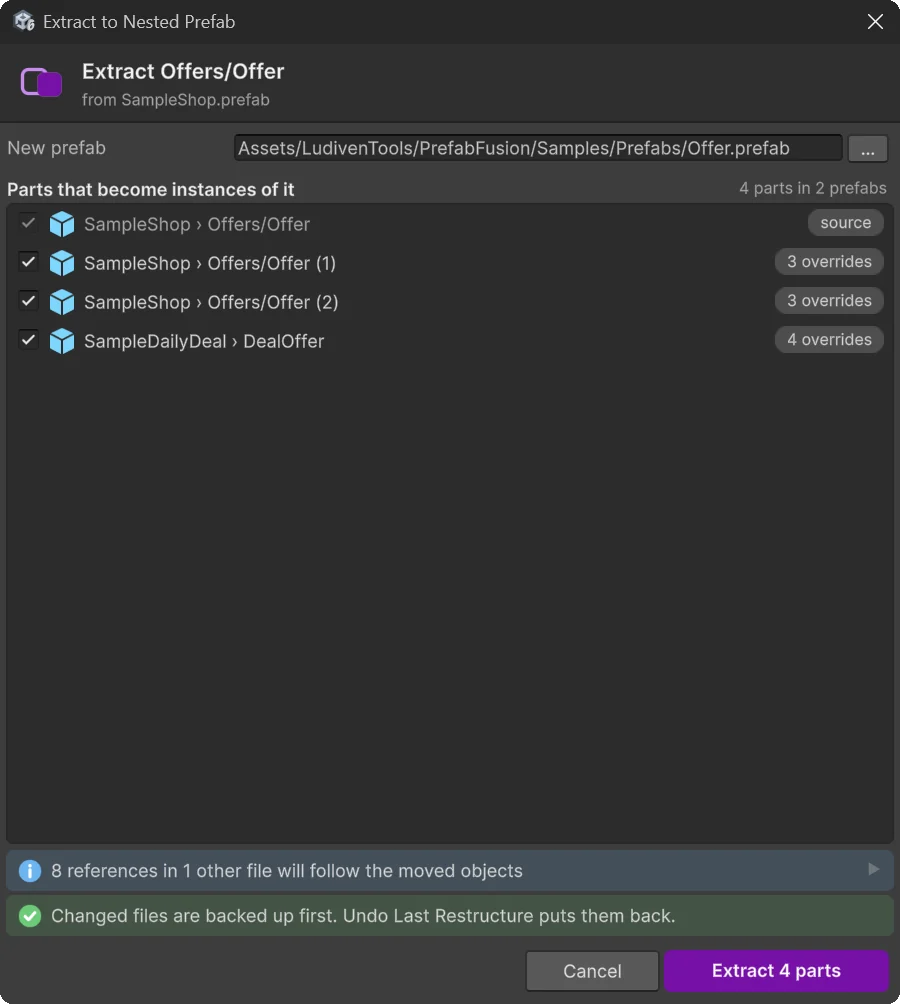
Extract to Nested Prefab
Pick a part of a prefab. Prefab Fusion finds the same part in your other prefabs and turns every copy into an instance of one new prefab. Each copy keeps its own values as overrides, and references from scenes, prefabs and assets follow.
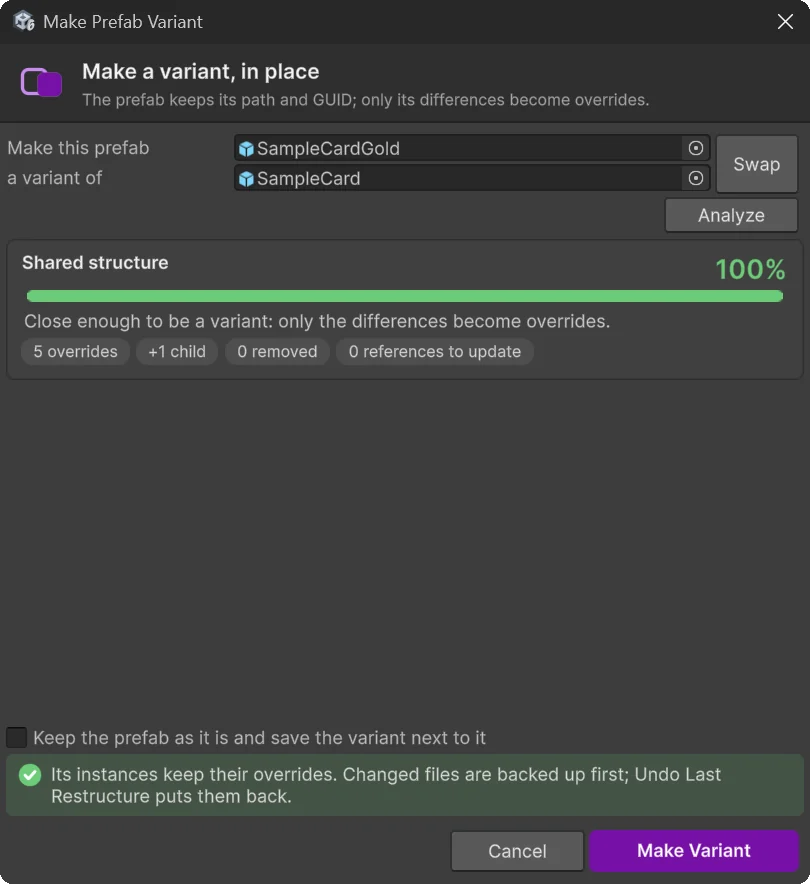
Make Variant, in place
Turn an existing prefab into a variant of another one. It keeps its path and GUID, only its differences become overrides, and everything that uses it keeps working.
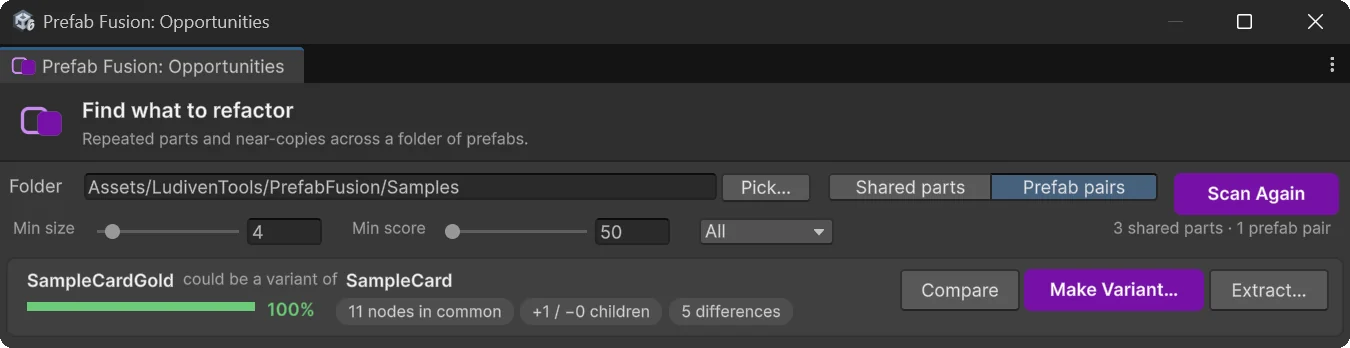
Find what to refactor
A scan lists the blocks repeated across your prefabs, and the prefab pairs that should be variants.
Preview, check, undo
A preview before any change, a warning on files with uncommitted git changes, a check of every value after each restructure, and an undo of the last ten.
Screenshots
Also in the package
Export a prefab to readable JSON, edit it, and rebuild the prefab in place. Generate C# scripts that rebuild a prefab from code. Render a prefab to PNG. Run every command in batch mode or from the open editor, for scripts, CI and AI coding agents.
Requirements
- Unity 2022.3 LTS or newer. Tested on Windows with 2022.3, 6.0, 6.3, 6.4, 6.5 and 6.6.
- The Unity UI package (uGUI), and TextMeshPro on 2022.3.
- Assets serialized as text (Force Text, Unity's default), so that references can follow.
- Editor only: nothing ends up in your builds. Prefab Fusion sends nothing anywhere: it only reads and writes files in your project.
Support
The manual ships with the package, in Documentation/. For anything else, write to me:
To help me reproduce a problem, please include:
- your Unity version and render pipeline;
- the Prefab Fusion version (top of
CHANGELOG.md); - what you did, what you expected, and what happened;
- the report or the Console messages (commands also write them to
PrefabFusion/_pending_log.txt); - if you can, a small prefab that shows the problem.